For Sales
Learn Claude as a salesperson.
A structured course that teaches Claude fundamentals through tasks you already do: sharpening cold outreach emails, writing follow-ups after a call, summarizing call notes into next steps, handling objections, and turning a deal into a proposal.
What is Claude?
Claude is an AI assistant made by Anthropic. Unlike a CRM field or a basic chatbot, it can hold an entire deal's context in mind across a long conversation, remembering the prospect's stated priority, the objection they raised on the last call, and the pricing floor you gave it three messages ago. That matters for sales work, where a single deal moves through many small pieces of writing before it closes. Claude Tutorial teaches you how to work this way through real sales tasks: sharpening outreach emails, writing follow-ups, summarizing call notes, handling objections, and turning a deal into a proposal.
What sales teams use Claude for
- 01
Reviewing and sharpening a cold outreach email
Paste in a draft cold email and ask Claude for specific feedback on the opening line, the ask, and length. Give it your usual tone and it applies that consistently across revisions.
“Here's my cold email to a VP of Sales at a 200-person SaaS company: [paste]. Tell me honestly if the opening line would get read past the first sentence, and suggest two sharper alternatives under 15 words.”
- Get specific opening-line feedback
- Match your usual tone
- Catch a weak ask before sending
- 02
Writing a follow-up email after a call
Give Claude your raw notes from a call and ask for a follow-up email that recaps the key points and states the next step clearly. Refine tone and length through conversation until it reads like something you'd actually send.
“Here are my notes from a 30-minute discovery call with a prospect evaluating our tool against two competitors. Draft a follow-up email under 120 words that recaps their top priority and proposes a next step by Friday.”
- Turn raw notes into a clean draft
- Hit a specific word count
- State a clear next step
- 03
Summarizing call notes into next steps
Paste in messy call notes or a transcript and ask Claude to pull out the prospect's stated priorities, objections raised, and agreed next steps. Use the structured output to update your CRM in minutes instead of rereading the whole call.
“Here's the transcript from a 45-minute call with a prospect. Summarize their top three priorities, any objections they raised, and what we agreed to do next, in a format I can paste directly into Salesforce.”
- Extract priorities from a messy transcript
- Surface objections you might've missed
- Get CRM-ready notes fast
- 04
Handling objections with a structured response
Describe the objection a prospect raised and let Claude draft a response that acknowledges the concern, reframes it, and ends with a question that keeps the conversation moving. Save the ones that work as a reusable playbook.
“A prospect said our pricing is 30% higher than a named competitor. Draft a response that acknowledges the price gap honestly, reframes around total cost of ownership, and ends with one question to keep them talking.”
- Get a response, not just a rebuttal
- Reframe instead of getting defensive
- Build a reusable objection playbook
- 05
Turning a deal into a proposal
Describe the deal, the prospect's stated needs, and pricing, and let Claude structure a one-page proposal you can send directly. Adjust sections through conversation until it matches what your buyer actually needs to see.
“We're proposing a 12-month contract at $18,000 a year for a 50-person team. Turn this into a one-page proposal: their stated goal, our solution, pricing, and a 3-step implementation timeline.”
- Structure a proposal in minutes
- Cover every section a buyer expects
- Turn call notes into a sendable document
How you'll learn
Claude Tutorial walks you through Claude fundamentals step by step, with structured lessons, practice quizzes, and a progress tracker so you always know where you stand.
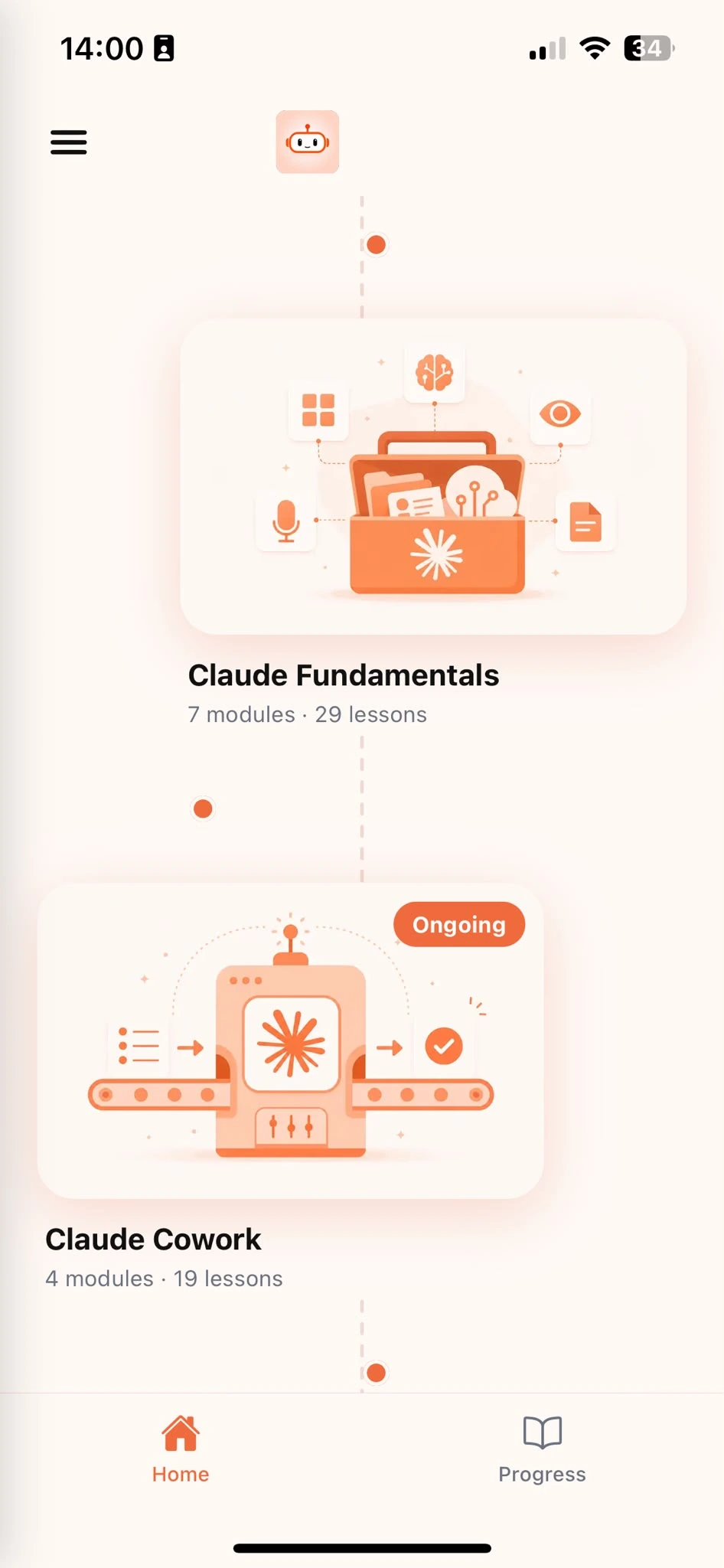
Browse Courses
Choose what to learn from a structured library of Claude lessons.
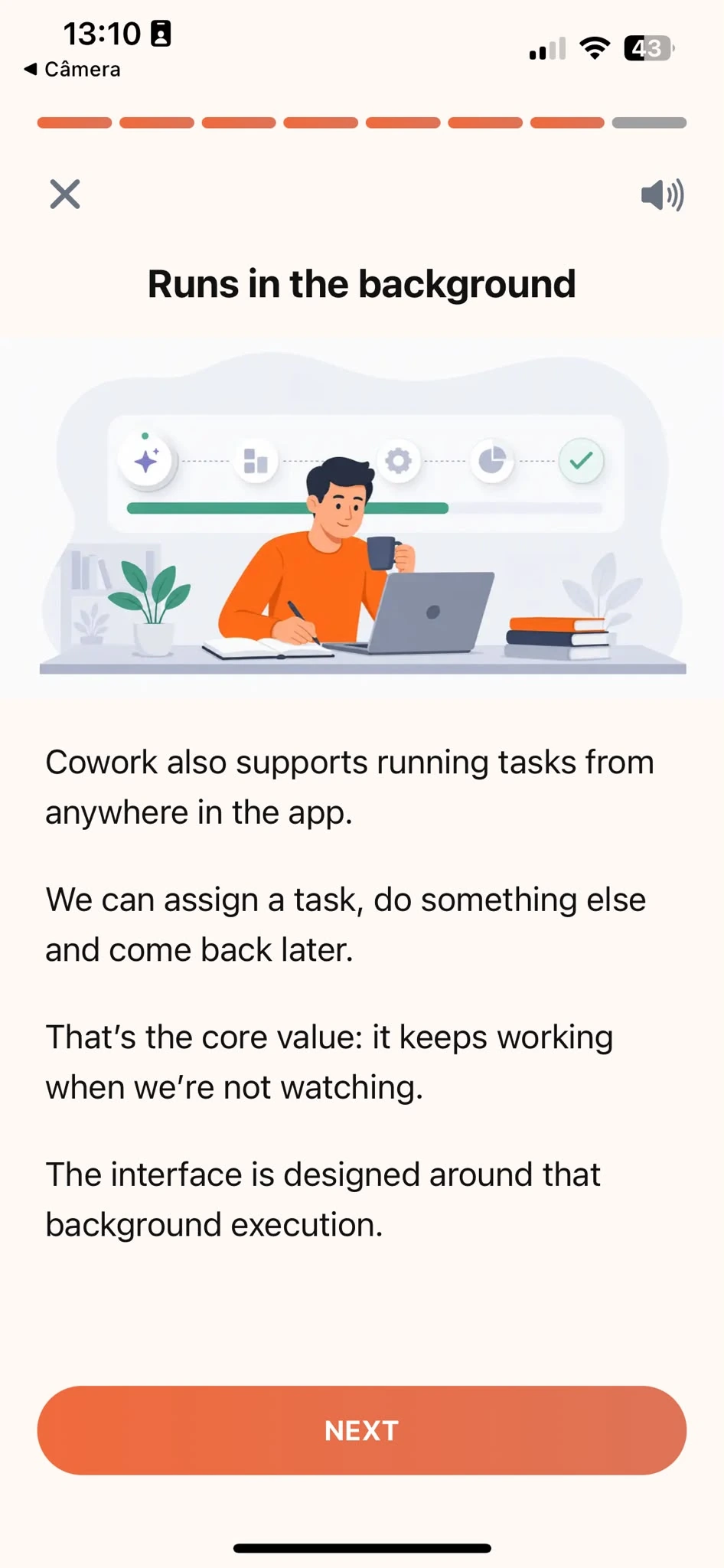
Learn
Short, focused lessons that build from fundamentals to real-world tasks.
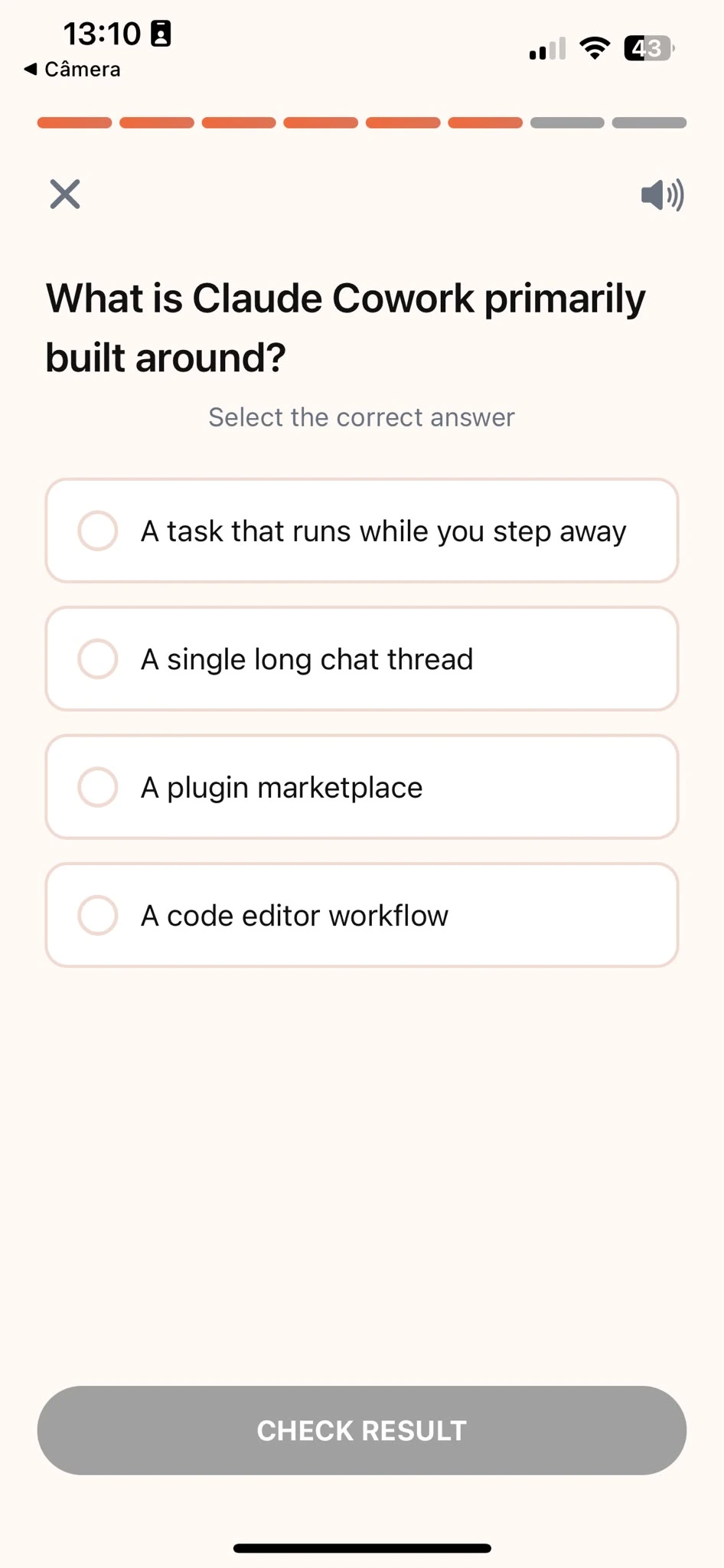
Quiz
Test your understanding right after each lesson, not at the end.
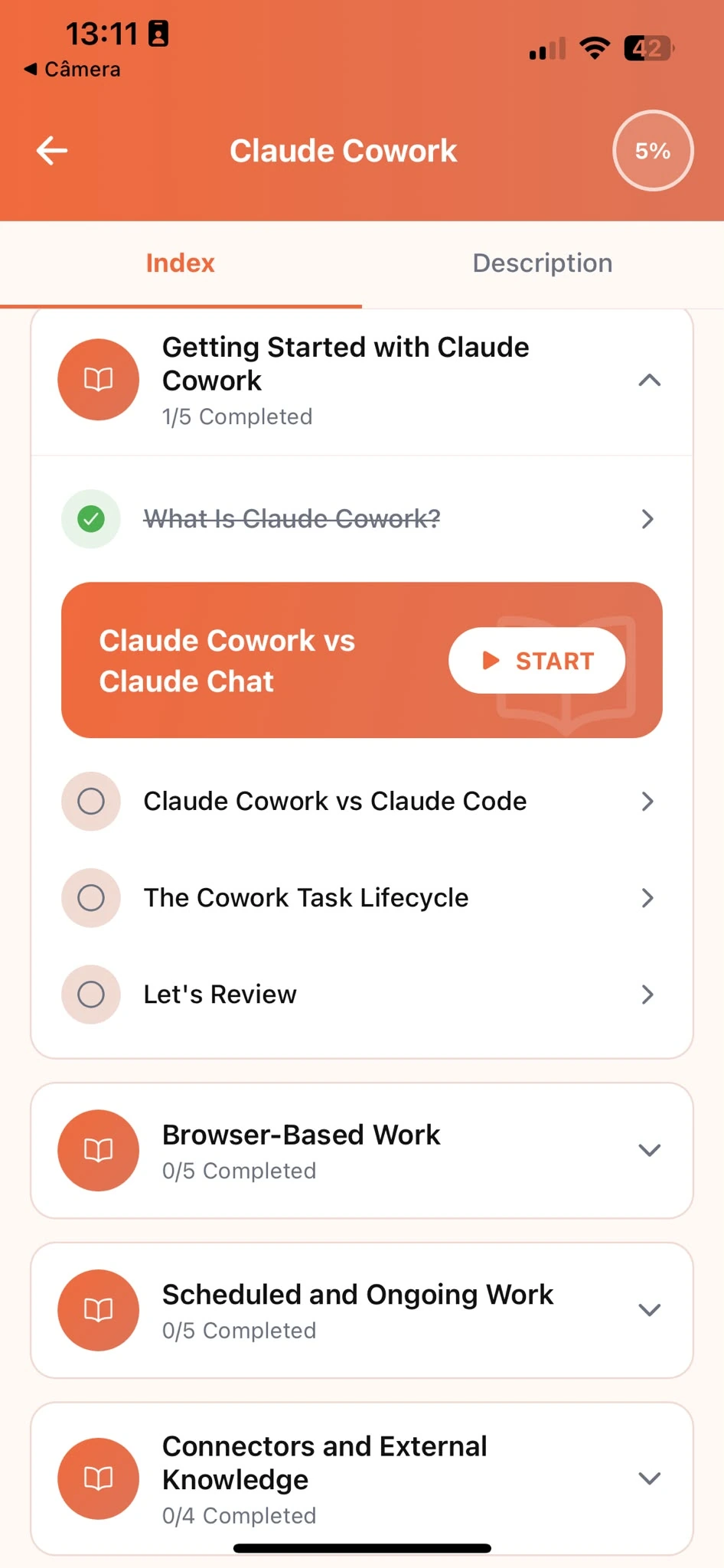
Track Progress
Pick up exactly where you left off, on any device, at any time.
Related articles
- Sales5 min read
How to Handle a Pricing Objection With Claude
Turn a pricing objection into a structured, reusable response with Claude, so you stop improvising a justification in the moment and sounding defensive.
Read article - Sales5 min read
Sharpen a Cold Email Before You Hit Send
Test a cold email's opening line and ask against a real bar with Claude, so you send on more than one read-through and a gut feeling that it reads fine.
Read article - Sales5 min read
Turn Call Transcripts Into CRM-Ready Notes Fast
Pull a prospect's priorities, objections, and next steps straight from the call transcript with Claude, instead of rebuilding your CRM notes from memory.
Read article - Sales5 min read
Turn a Discovery Call Into a Proposal That Lands
Structure a one-page sales proposal around what this specific buyer said mattered on the call, not a reused template with the numbers swapped.
Read article - Sales5 min read
How to Write a Follow-Up Email That Gets Answered
Turn raw call notes into a follow-up email that leads with the next step instead of a recap, so prospects actually read to the end and reply.
Read article - Marketing8 min read
Getting Started With Claude: The Core Habits
The habits that make Claude genuinely useful at work, whatever your job: giving context, setting constraints, and refining an answer instead of restarting.
Read article
Frequently Asked Questions
Do I need AI experience to start?
No. Claude Tutorial is designed for people who have never used Claude before. The course starts from the fundamentals and builds up to real sales tasks. If you already use Claude occasionally, the structured approach will still fill gaps and build more reliable habits.
How long does the course take to complete?
Most learners work through the core curriculum in two to four hours. The app is designed for short, focused sessions. A single lesson takes around ten minutes, so you can fit it into a working day without blocking off a half-day.
Will I learn to use Claude specifically for sales?
Claude Tutorial teaches Claude fundamentals through examples salespeople recognize: outreach emails, follow-ups, call notes, and objection handling. You are learning Claude, not a generic AI tool, and every example is grounded in real sales work.
Can I use Claude's free plan while taking the course?
Yes. Everything taught in the course works with Claude's free plan. A paid plan gives you more usage, but it is not required to complete the lessons or apply what you learn.
What if Claude's objection response doesn't sound like something I'd actually say?
Give it more to work with. Paste in a few of your own past responses that landed well, or describe your usual tone in a sentence, then ask Claude to match it going forward. The course shows you how to set this up once, the same way you'd build a reusable playbook, and reuse it in every prompt after that.
Start learning Claude
Download Claude Tutorial and start applying these techniques to your own calls and deals.